Currencies
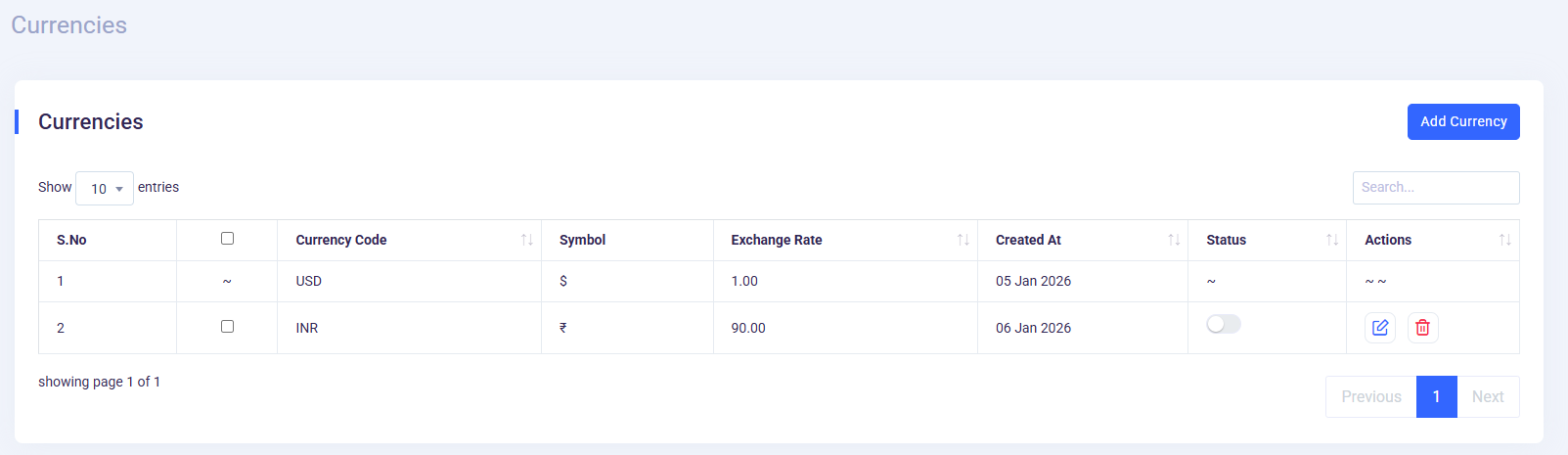
- Currencies :
Navigate to the
Admin Panel->Currencies. On this page, you’ll see "Add Currency" button.
- Add Currency :
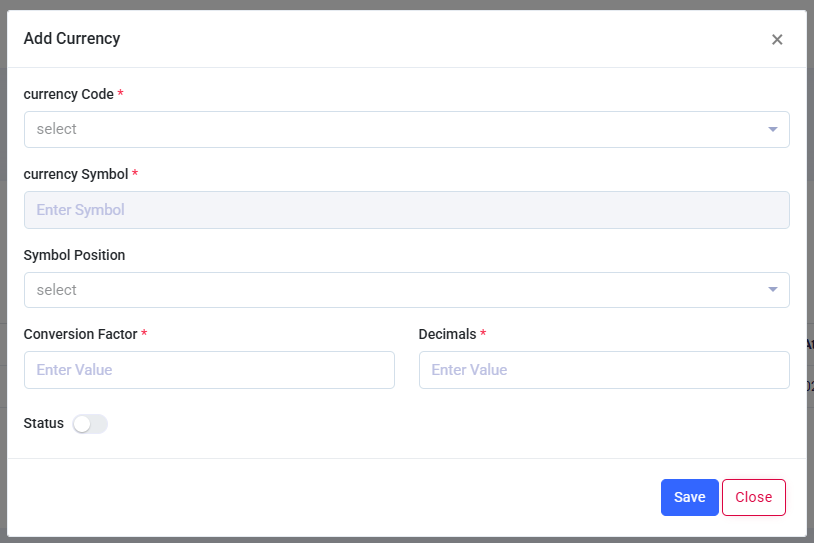
When you click on "Add Currency" button, a modal pop-up will appear with the input fields.After adding all fields regarding currency then click on the "Save" button to apply the changes. The newly created currency list will appear in the "Currencies" table below.
-
Default currency is set to USD. According to this currency, amount is calculated when any custom invoices are generated for the customer.
Copyright © 2026 UHelp. Designed with by Spruko All rights reserved.